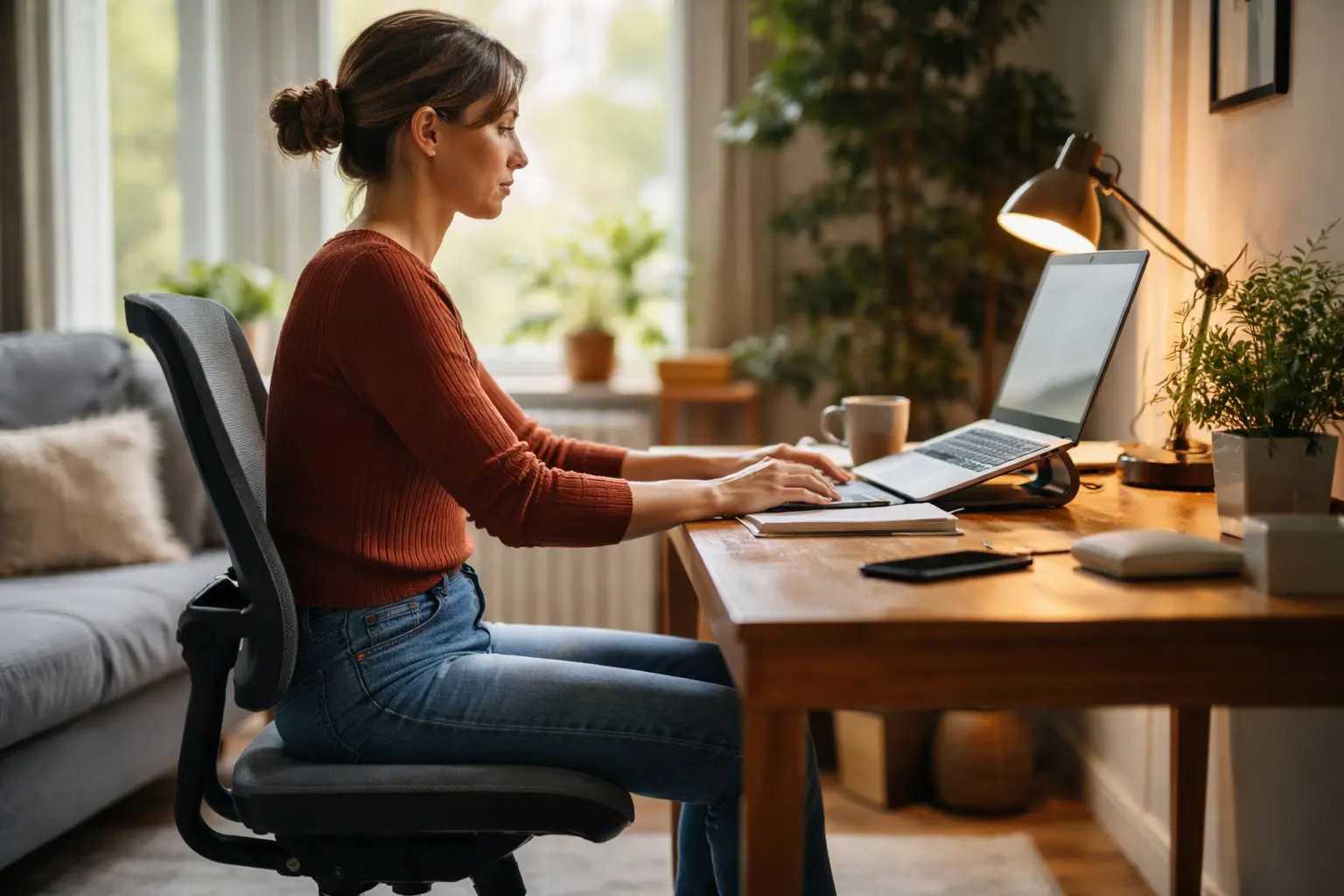
Your neck is screaming, your lower back feels like it’s folding in on itself, and by 3 PM you’re hunched over like you’re trying to disappear into your desk – this is what happens when you ignore proper sitting posture for home working, and it’s time to stop accepting it as normal.
Ergonomic chair setup
Your chair is the foundation of everything. Think of it as the difference between sitting on a park bench for eight hours versus a properly designed seat that actually supports your body. Start by adjusting the height so your feet rest flat on the floor and your knees form a 90-degree angle. This simple adjustment prevents your legs from dangling, which cuts off circulation, or from being crammed under your desk, which strains your hips. Next, scoot all the way back into your chair so your lower back actually touches the lumbar support. Many women sit forward on the edge, thinking it helps them focus, but this forces your spine into an unnatural curve. If your chair doesn’t have built-in lumbar support, use a small cushion or rolled towel to fill that gap. Adjust armrests so your elbows sit at about 90 degrees when your arms are relaxed at your sides. Your shoulders should feel neutral, not hunched up toward your ears or drooping down. If your feet don’t quite touch the ground even at the lowest chair setting, invest in a small footrest. This prevents your legs from swinging and keeps pressure off the backs of your thighs.
- Choose a chair with adjustable armrests for proper elbow placement.
- Sit back in your chair to fully utilize the lumbar support.
- Avoid crossing your legs to ensure equal weight distribution.
Monitor and screen positioning
Your monitor placement directly affects your neck and eyes. Position the top of your screen at or slightly below eye level, about an arm’s length away from where you’re sitting. This distance is roughly 20 to 26 inches. If you’re using a laptop, this is where an external monitor or laptop stand becomes essential. Laptops naturally sit too low, forcing you to crane your neck downward all day, which leads to that painful forward head posture that builds tension in your shoulders and upper back. Reduce glare by positioning your screen perpendicular to windows or adjusting your blinds. Glare forces your eyes to work harder, causing fatigue and headaches by the end of the day. Adjust brightness and contrast settings to match your room’s lighting. A screen that’s too bright strains your eyes, while one that’s too dim forces you to lean forward to see clearly. If you use multiple monitors, position them in a slight arc so you’re not constantly turning your head to one side. Your primary monitor should be directly in front of you, not off to the side.
📘 Fix your day in under 2 minuteschoose where to begin:
Keyboard and mouse placement
Your keyboard and mouse placement might seem minor, but they’re where repetitive strain injuries actually start. Position your keyboard directly in front of you at elbow height, not on your lap or way up on a high desk. Your wrists should be straight and neutral, not bent upward or downward, when your fingers rest on the keys. Many women rest their wrists on the desk edge while typing, which bends them backward and creates tension over time. If you find yourself reaching far to the right for your mouse, you’re setting yourself up for shoulder and wrist pain. Keep your mouse close to your keyboard, at the same height, so your arm doesn’t extend. Consider using a wrist support pad under your keyboard and mouse to maintain that neutral wrist position. Some women find that a vertical mouse or trackpad reduces strain compared to traditional mice. Take a moment to notice if you’re gripping your mouse tightly. Many of us unconsciously tense our hands and forearms while working, which compounds strain. A light grip is all you need.
Regular breaks and stretching
Your body isn’t designed to sit still for eight hours straight. Set a timer to stand up and move every 60 to 90 minutes. This doesn’t mean a quick bathroom trip. It means actually stepping away from your desk, walking around your home, and letting your muscles reset. During these breaks, perform simple stretches that target the areas that take the most strain. Gently roll your shoulders backward and forward, hold each side of your neck and tilt your head slowly toward each shoulder, and reach your arms overhead and lean slightly to each side. For your lower back, stand and place your hands on your lower back, then gently arch backward. Sit back down and hug your knees to your chest for a few seconds. If you spend a lot of time on video calls, you might unconsciously tense your neck and shoulders. After a call, do a few neck rolls and shoulder shrugs to release that tension. Some women find that setting hourly alarms helps them remember to move. Others integrate movement into their workday by standing during calls or walking while thinking through problems. The key is consistency, not intensity.
Creating a comfortable work environment
Your workspace extends beyond just your desk and chair. Proper lighting reduces eye strain and fatigue significantly. If you have a window, position your desk to use natural light without creating glare on your screen. If you work in a dim room, add a desk lamp that provides soft, even lighting without harsh shadows. The temperature of your space matters too. A room that’s too cold makes your muscles tense up, while one that’s too warm makes you sluggish. Keep your workspace organized and clutter-free. A messy desk forces you to reach and stretch for items, disrupting your posture. Use desk organizers or shelves to keep frequently used items within arm’s reach. If your feet don’t touch the ground comfortably, a footrest provides stability and reduces pressure on your thighs. Some women add a small plant or personal touches to their workspace, which improves mood and motivation. Take a moment to assess your current setup. What causes you the most discomfort? Start by fixing that one thing, then gradually optimize other elements. Small adjustments compound into major comfort improvements over weeks.
Maintaining proper sitting posture for home working involves setting up an ergonomic chair, positioning your monitor correctly, adjusting your keyboard and mouse, taking regular breaks, and creating a comfortable workspace.
How can I prevent back pain while working from home?
To prevent back pain, ensure your chair supports your lower back, maintain good posture, take regular breaks to stretch, and set up your workstation ergonomically.
What can I do to reduce eye strain from prolonged screen time?
To reduce eye strain, position your monitor at eye level, keep the screen at a comfortable distance, adjust brightness and contrast settings, and take regular breaks to rest your eyes.
Others also read:
Disclaimer: This article is for informational purposes only and is not a substitute for professional medical advice. Always consult a healthcare professional for personal guidance.
This guide has been prepared and reviewed by the GlobalHealthBeacon editorial team and reflects current medical research as of 2026. It provides structured, evidence-based information to support informed health decisions.
← Go to the proper sitting posture for home working main guide
