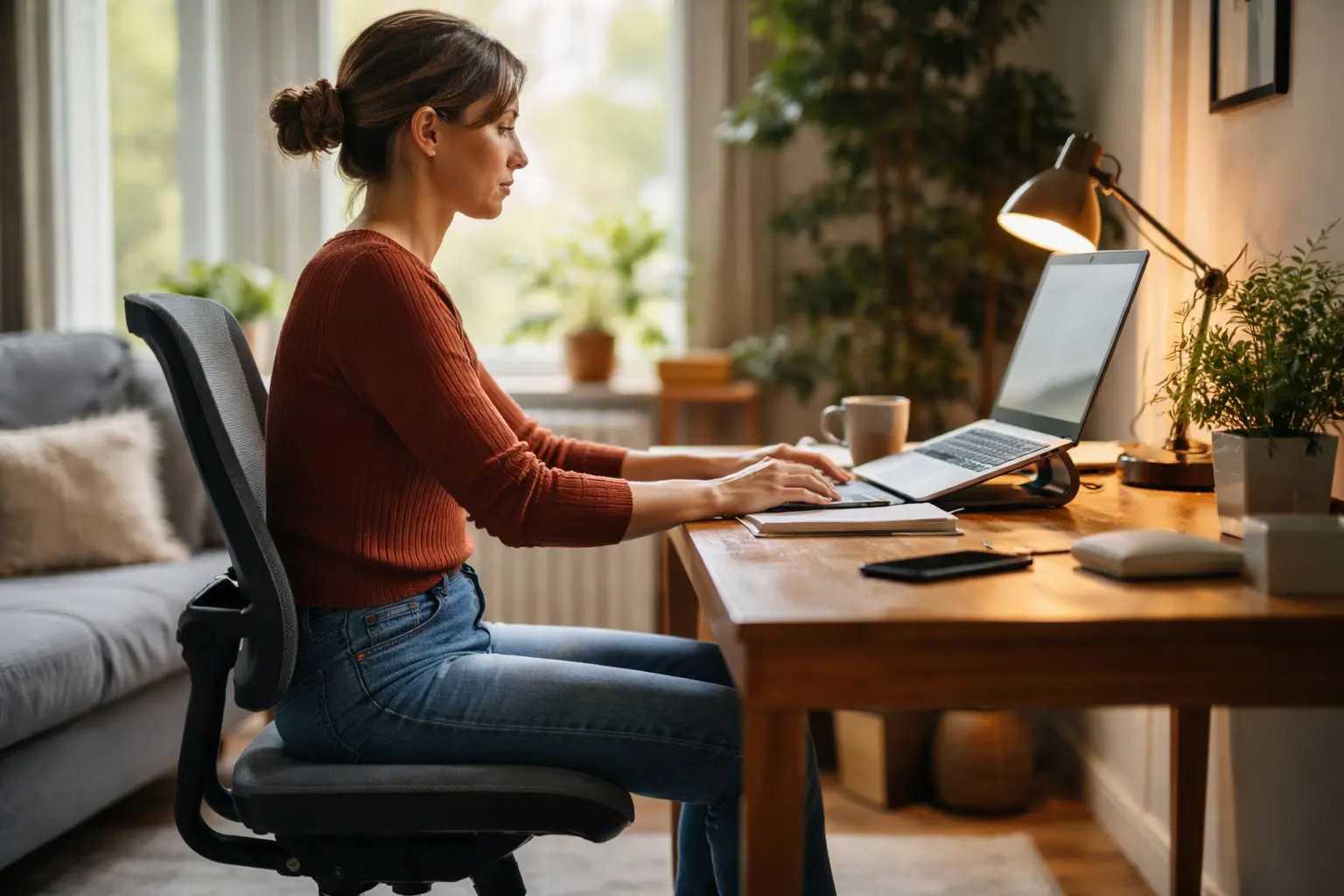
Your neck aches, your lower back throbs, and by 3pm you’re slouching so badly you barely recognize yourself in the monitor reflection, yet nobody talks about how proper sitting posture for home working can actually flip the script and make you feel human again.
Correct ergonomic setup
Let’s be real: most of us didn’t think twice about our setup when we first moved our workspace home. You grabbed whatever chair was lying around, shoved your laptop on the desk, and called it done. But here’s what happens next. Within weeks, your neck starts tilting forward to meet the screen, your shoulders creep up toward your ears, and suddenly you’re experiencing tension headaches that feel like they’re never going away. Getting your ergonomic setup right means positioning your monitor so the top of the screen sits at eye level when you’re sitting upright. Your elbows should bend at roughly 90 degrees when your hands rest on the keyboard, and your feet need solid contact with the floor or footrest. This isn’t about being rigid or uncomfortable. It’s about removing the constant micro-adjustments your body makes when things are slightly off. When everything aligns properly, your muscles can actually relax instead of working overtime to compensate. Think of it like adjusting the seat in a car before a long drive. Those first five minutes of tweaking save you from hours of discomfort.
- Adjust your chair height to support your lower back
- Use a keyboard and mouse at elbow height to avoid overreaching
- Take regular breaks to stretch and move your body
Active sitting techniques
Sitting doesn’t have to mean being completely still. In fact, staying motionless for hours is exactly what creates that stiff, achy feeling that makes you want to abandon your desk by lunchtime. Active sitting means weaving small movements throughout your day while you’re still technically seated and working. Try gentle shoulder rolls every few minutes, rotating backward and forward to release tension that builds up from typing. Perform seated spinal twists where you gently rotate your torso left and right, holding for a few seconds each side. Extend your legs out in front of you and flex your feet, or do seated leg lifts to keep your circulation flowing. These aren’t intense workouts. They’re micro-movements that interrupt the static position your body gets locked into. You might do shoulder rolls while reading an email, or twist your spine while waiting for a file to upload. The beauty is that these movements take seconds but prevent the stiffness and numbness that comes from prolonged stillness. People who incorporate active sitting often report feeling more energized and less like they need a full massage by day’s end.
💬 Ready to feel better in 2 minutes?choose where to begin:
Mindful posture awareness
Here’s something that catches most young adults off guard: you can have the perfect ergonomic setup, but if you’re not aware of your posture, you’ll gradually slip into bad habits anyway. Mindful posture awareness means regularly pausing to check in with your body throughout the day. Set a gentle reminder on your phone every 30 minutes to do a quick posture scan. Notice where your shoulders are sitting. Are they relaxed or creeping up toward your ears? Is your lower back supported or are you slouching? Are you leaning toward the screen? Once you notice these patterns, you can gently correct them. Engage your core muscles by drawing your belly button slightly toward your spine, then relax. Sit up tall as if there’s a string gently pulling the top of your head upward. This isn’t about being tense or rigid. It’s about developing body awareness so your nervous system learns what good posture actually feels like. Over time, correct alignment becomes your default instead of something you have to constantly force. People who practice this often say they naturally sit better without thinking about it, and the chronic aches that used to plague their afternoons simply fade away.
Creating a comfortable environment
Your workspace environment matters more than you might think. Even with perfect posture, sitting in an uncomfortable chair for eight hours straight will catch up with you. Start by evaluating what you actually have. If your current chair doesn’t support your lower back, adding a lumbar cushion can make an enormous difference without replacing the entire chair. A memory foam seat pad can soften pressure points on your hips and tailbone. Consider a document holder to keep reference materials at eye level instead of forcing you to look down. If you have the budget, a standing desk converter lets you alternate between sitting and standing throughout the day, which many young adults find breaks up the monotony and reduces fatigue. Pay attention to lighting too. Poor lighting forces you to lean forward and strain your eyes. A desk lamp that eliminates glare on your screen makes a real difference in how you naturally hold your head. The goal is personalizing your space so your body feels genuinely supported, not just tolerated. When your environment actively supports you rather than fights you, working from home stops feeling like a physical endurance test.
By adopting proper sitting habits, such as correct ergonomic setup, active sitting techniques, mindful posture awareness, and creating a comfortable environment, young adults can experience a significant improvement in their work-from-home experience. These changes not only enhance productivity but also contribute to long-term physical well-being.
How often should I take breaks from sitting while working from home?
It is recommended to take a break from sitting every 30 minutes. Stand up, stretch, walk around, or perform simple exercises to combat the negative effects of prolonged sitting.
Can using a stability ball as a chair improve my posture?
While using a stability ball can engage your core muscles and promote active sitting, it is essential to maintain proper posture and switch between chairs to prevent muscle fatigue.
Others also read:
Disclaimer: This article is for informational purposes only and is not a substitute for professional medical advice. Always consult a healthcare professional for personal guidance.
This article presents an experience-based perspective and has been reviewed by the GlobalHealthBeacon editorial team in 2026. It provides structured, evidence-based information to support informed health decisions.
← Back to the main proper sitting posture for home working page
