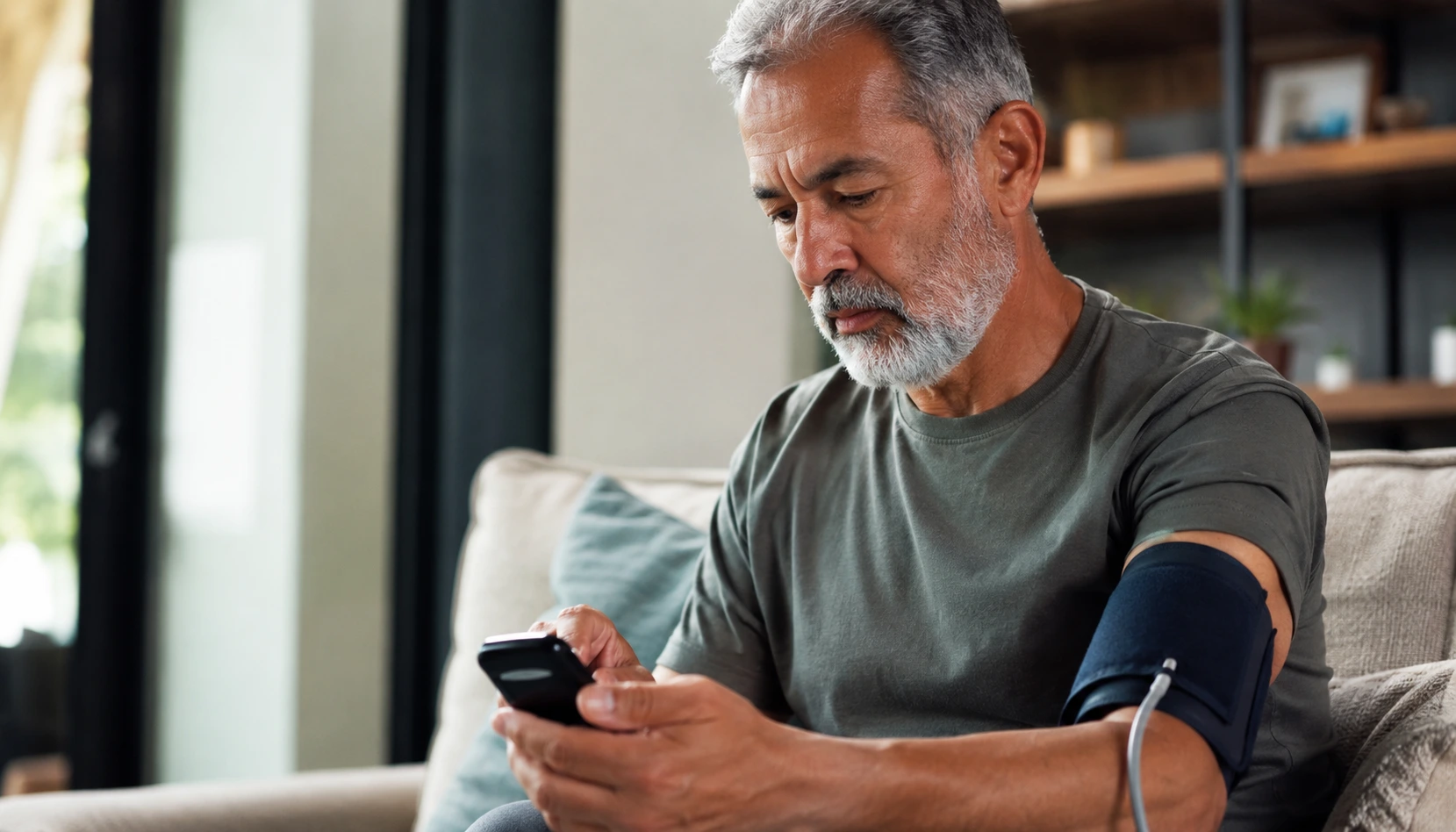
Juggling doctor appointments, remembering to check your blood pressure, and worrying whether your numbers are actually normal is exhausting, but remote patient monitoring devices can take that burden off your shoulders and put real peace of mind back in your hands.
Understanding remote patient monitoring devices
Remote patient monitoring devices are tools designed to help you track important health metrics from your home without constant trips to the doctor’s office. Think of them as a bridge between you and your healthcare team. Instead of waiting weeks for an appointment to discuss how you have been feeling, these devices collect data like blood pressure, heart rate, weight, and blood sugar levels, then send that information directly to your doctor. Imagine Margaret, a 72-year-old with hypertension, who used to write down her readings in a notebook and hope she remembered them correctly at her next visit. Now, her device automatically logs every measurement and alerts her doctor if anything looks concerning. The beauty of RPM devices is that they work quietly in the background of your daily routine, gathering real-time information that helps your healthcare provider spot problems early and adjust your care plan before small issues become big ones.
- Effortlessly monitor your heart rate and blood pressure at home without special training
- Stay connected with your healthcare team through automatic data sharing that happens in seconds
- Receive timely alerts for abnormal readings, ensuring prompt intervention and peace of mind
Choosing the right RPM device for seniors
Selecting an RPM device can feel overwhelming with so many options available, but breaking it down into key factors makes the decision much simpler. Start by considering ease of use, which is non-negotiable for seniors. The device should have a clear display you can read without squinting, buttons or touchscreen controls that respond to a gentle touch, and setup instructions that don’t require a technology degree. Connectivity matters too. Some devices sync wirelessly with your smartphone or tablet, while others connect directly to a home monitor that displays your readings. Think about what you already use and what feels comfortable. Battery life is another practical consideration. A device that needs charging every day becomes a chore, while one that lasts a week or more fits naturally into your routine. Consider also whether the device integrates with your existing health apps or your doctor’s patient portal, so all your information lives in one place rather than scattered across multiple platforms.
📘 Fix your day in under 2 minuteschoose where to begin:
Top features to look for in senior-friendly RPM devices
The best RPM devices for seniors share several hallmark features that make monitoring feel effortless rather than frustrating. Large, high-contrast displays are essential because straining to read tiny numbers defeats the purpose of staying healthy. Look for devices with voice guidance that walks you through each step, which is especially helpful if you have vision changes or arthritis that makes reading difficult. Durability matters more than you might think. A device that can withstand an accidental drop or splash of water is practical for real life. Battery life should be measured in days or weeks, not hours. Some devices even include automatic reminders to take measurements at the same time each day, which helps establish a consistent routine. Consider whether the device has a simple, one-button operation for your main measurements, and whether customer support is available by phone rather than only through email or chat. A device that comes with large-print guides and a responsive customer service team designed for older adults shows that the manufacturer actually understands your needs.
Setting up your RPM device for seamless monitoring
Getting your RPM device ready to use involves a few straightforward steps that take about 15 to 30 minutes the first time. Start by unboxing everything and laying out the components so you can see what you have. Read through the quick-start guide, not the entire manual, which is usually clearer and more visual. Most devices ask you to download a companion app on your smartphone or tablet, or they may provide a separate home monitor that does this for you. If you are not comfortable downloading apps, choose a device that comes with its own monitor instead. Next, create your account with your healthcare provider’s patient portal or the device manufacturer’s system. This step requires your personal information and password, so use something you can remember or write it down in a secure place. Once everything is connected, take a few practice measurements to make sure the device is working correctly. Call your doctor’s office to confirm they have received your first readings. Finally, set a daily time to take your measurements, like right after breakfast or before dinner, so it becomes part of your routine rather than something you have to remember.
Staying engaged with your health using RPM devices
Having an RPM device is only half the battle. The real power comes from using the data it collects to have meaningful conversations with your doctor and make informed decisions about your health. Set aside time each week to review your readings and notice patterns. You might discover that your blood pressure is higher on stressful days or that certain foods affect your blood sugar. Keep a simple log or notes app where you jot down what you were doing when unusual readings occurred. This context is gold for your healthcare provider. When you have your next appointment or phone call with your doctor, bring these observations. Instead of just handing over numbers, you can say something like, My readings were fine all week, but I noticed they went up on Tuesday after I had extra salt at lunch. This kind of insight helps your doctor fine-tune your treatment plan. Many seniors find that tracking their health this way also increases motivation to stick with healthy habits because they can see the direct impact of their choices on their numbers.
Remote patient monitoring devices offer seniors a convenient way to stay connected with their healthcare providers and monitor their health from home. Choosing the right device, understanding its features, setting it up correctly, and staying engaged with your health are key steps to maximize the benefits of RPM devices.
How do RPM devices benefit seniors?
RPM devices allow seniors to monitor their health parameters conveniently from home, facilitating timely interventions and personalized care from healthcare providers. They reduce the need for frequent office visits, catch potential problems early, and give you and your doctor better information to make treatment decisions.
Are RPM devices easy to use for seniors?
Many RPM devices designed for seniors feature user-friendly interfaces and simplified setups to ensure ease of use and seamless monitoring experience. Look for devices with large displays, voice guidance, simple controls, and responsive customer support to make the experience truly effortless.
Others also read:
Disclaimer: This article is for informational purposes only and is not a substitute for professional medical advice. Always consult a healthcare professional for personal guidance.
This guide has been prepared and reviewed by the GlobalHealthBeacon editorial team and reflects current medical research as of 2026. It provides structured, evidence-based information to support informed health decisions.
