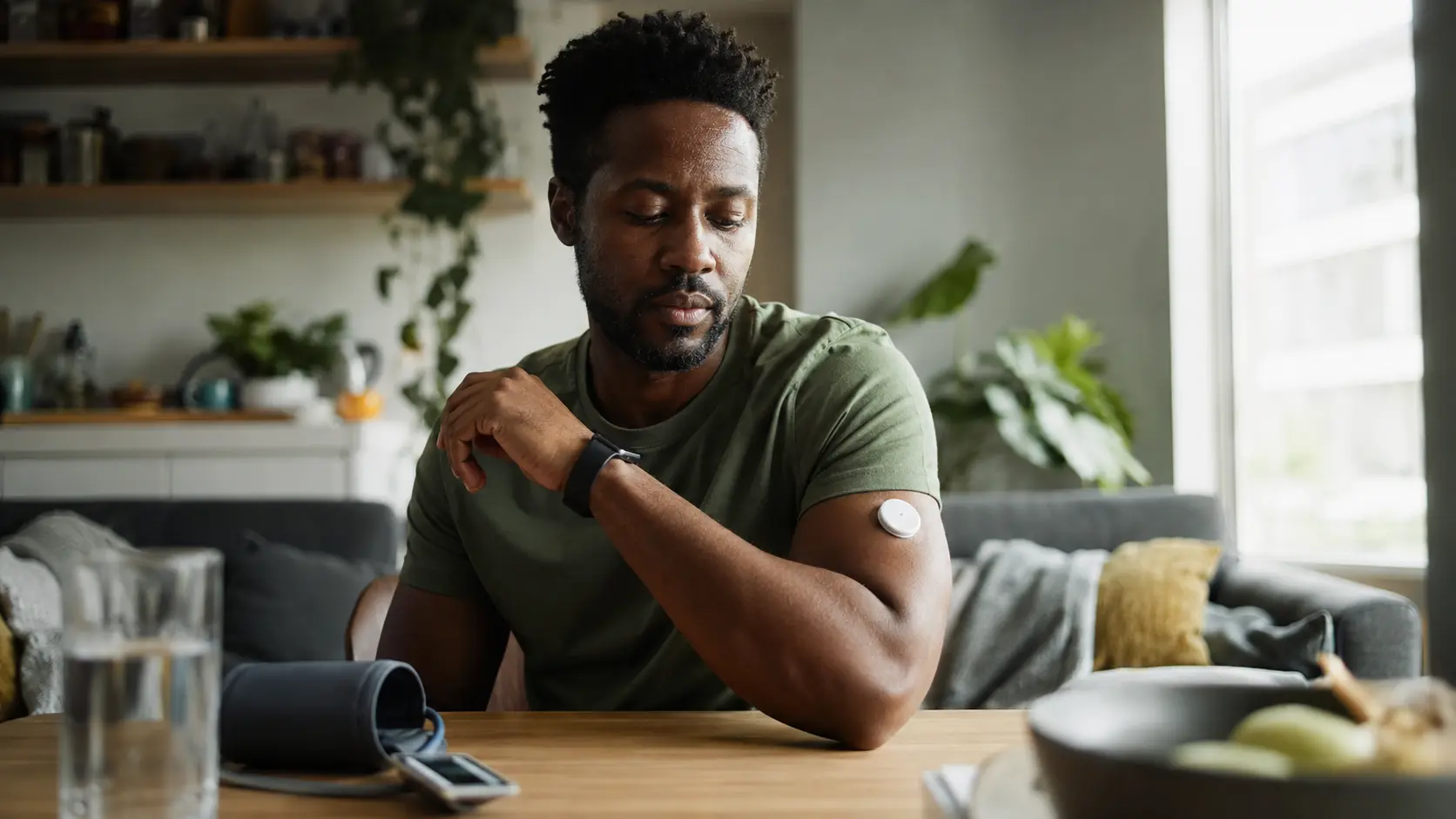
You’re juggling work, social life, and trying to stay healthy, but you have no idea if you’re actually moving enough, sleeping right, or taking care of yourself, and that constant uncertainty is exhausting – connected health devices change that by giving you real answers about your body in real time.
Understanding connected health devices
Connected health devices are your personal health assistants that live on your wrist or in your pocket. Smartwatches, fitness trackers, and health rings sync directly with your smartphone to capture continuous data about how your body actually works. Think of it this way: a smartwatch doesn’t just count your steps like a basic pedometer. It monitors your heart rate variability during stressful work meetings, tracks how many times you wake up at night, measures your oxygen levels during sleep, and even detects irregular heart rhythms. For young adults balancing demanding jobs or school, these devices reveal patterns you’d never notice otherwise. You might discover that your sleep quality drops after late-night caffeine, or that your resting heart rate improves after consistent exercise. The real power comes from having objective data instead of guessing. Instead of wondering if you’re stressed, you see your elevated heart rate. Instead of hoping you slept well, you see exactly how many hours you spent in deep sleep versus light sleep. This data becomes your personal health language.
- Track your daily steps and set activity goals
- Monitor your heart rate during exercise and at rest
- Analyze your sleep patterns to improve sleep quality
Setting up your connected health devices
Getting started is simpler than you might think, but doing it right makes all the difference. First, charge your device fully before opening the box – this ensures the battery is calibrated properly from day one. Download the companion app on your smartphone before pairing anything. Most devices require you to create an account and agree to privacy settings, so read through those carefully even though it feels tedious. When you pair your device via Bluetooth, make sure your phone’s location services are enabled and you’re in a quiet area without interference from other devices. Follow the app’s setup wizard step by step, which typically asks you to input your age, weight, height, and biological sex – this data helps the device calibrate its sensors accurately. Customize your notification preferences right away. You don’t want your watch buzzing every time you get a text, but you might want alerts for unusual heart rate patterns. Explore the app’s dashboard before you start wearing the device so you understand where to find your data. Some apps have hidden features buried in settings menus that could be useful for your specific goals. Take a screenshot of your setup so you remember your preferences if you need to reset later.
📘 Fix your day in under 2 minuteschoose where to begin:
Establishing healthy habits with your data
Data only matters if you actually use it to change behavior. Start by wearing your device for a full week without trying to change anything. Just observe. You’ll notice your baseline – how many steps you typically take, when you naturally move most, what your sleep looks like on work nights versus weekends. This observation period prevents you from setting unrealistic goals. Once you understand your baseline, pick one small metric to improve. If you average 4,000 steps daily, don’t jump to 10,000 steps overnight. Increase to 5,500 steps for two weeks, then 7,000 steps. This gradual approach actually sticks because it doesn’t feel punishing. For sleep, if you’re getting six hours, aim for six and a half hours first. Real change happens through tiny increments, not dramatic overhauls. Use your device’s goal-setting feature to create specific targets, not vague wishes. Instead of ‘exercise more,’ set ‘walk 6,000 steps on weekdays.’ Review your data weekly, not daily, to spot trends without obsessing. Celebrate when you hit milestones – your brain needs positive reinforcement to maintain new habits. Some apps let you share progress with friends for accountability, which works well for competitive personalities but might feel stressful for others. Know yourself and adjust accordingly.
Engaging with your healthcare provider
Your connected health device data is most powerful when you bring it into conversations with your doctor. Before your appointment, export or screenshot your key metrics from the past few months. Most apps have a sharing feature that creates a report you can email to your healthcare provider or bring on your phone. During your visit, explain what you’ve been tracking and why. If you’ve noticed your resting heart rate increased by ten beats per minute, mention it. If your sleep data shows you’re consistently getting only five hours, that’s clinically relevant information. Your doctor can help interpret patterns that might indicate stress, overtraining, or underlying health issues. They might suggest adjustments to your routine or recommend additional testing. If you’re managing a chronic condition like hypertension or diabetes, device data becomes even more valuable for tracking how lifestyle changes affect your metrics. Some healthcare systems now integrate with patient portals, allowing your doctor to see your data directly. Ask your provider if they use this technology. Be honest about which metrics you actually care about and which feel like noise – your doctor can help you focus on what matters most for your specific health situation.
Maintaining your connected health routine
A connected health device only works if you actually keep using it, which requires minimal but consistent maintenance. Charge your device at the same time each day, ideally overnight, so it’s always ready when you wake up. Most devices last one to seven days per charge depending on the model, so build charging into your evening routine like brushing your teeth. Clean your device weekly with a soft, slightly damp cloth to remove sweat and dirt buildup, especially if you wear it during workouts. Check the app for software updates monthly and install them promptly – these updates often improve accuracy and add new features. Every three months, review your goals and adjust them based on your progress. If you’ve consistently hit your step goal, increase it. If a goal feels impossible, lower it or replace it with something more relevant to your current life situation. Your health priorities change as your circumstances change, so your device should reflect that. If you lose motivation, which happens to most people around month three, switch up your approach. Try a new metric, join a friend’s challenge, or set a completely different goal. The device is a tool that should serve your life, not the other way around. If you’re traveling, remember to pack your charger and update your timezone in the app so your sleep and activity data stays accurate.
Connected health devices provide valuable insights into your well-being, enabling you to take control of your health. By setting up, using, and maintaining your devices effectively, you can build healthy habits and make informed decisions about your health.
How do connected health devices benefit young adults?
Connected health devices empower young adults to monitor their health in real-time, track progress towards their wellness goals, and engage with healthcare providers to optimize their care.
Are connected health devices secure for personal data?
Most connected health devices use encryption and secure data storage to protect your personal information. However, it’s essential to review privacy policies and enable security features on your devices.
Others also read:
Disclaimer: This article is for informational purposes only and is not a substitute for professional medical advice. Always consult a healthcare professional for personal guidance.
This guide has been prepared and reviewed by the GlobalHealthBeacon editorial team and reflects current medical research as of 2026. It provides structured, evidence-based information to support informed health decisions.
