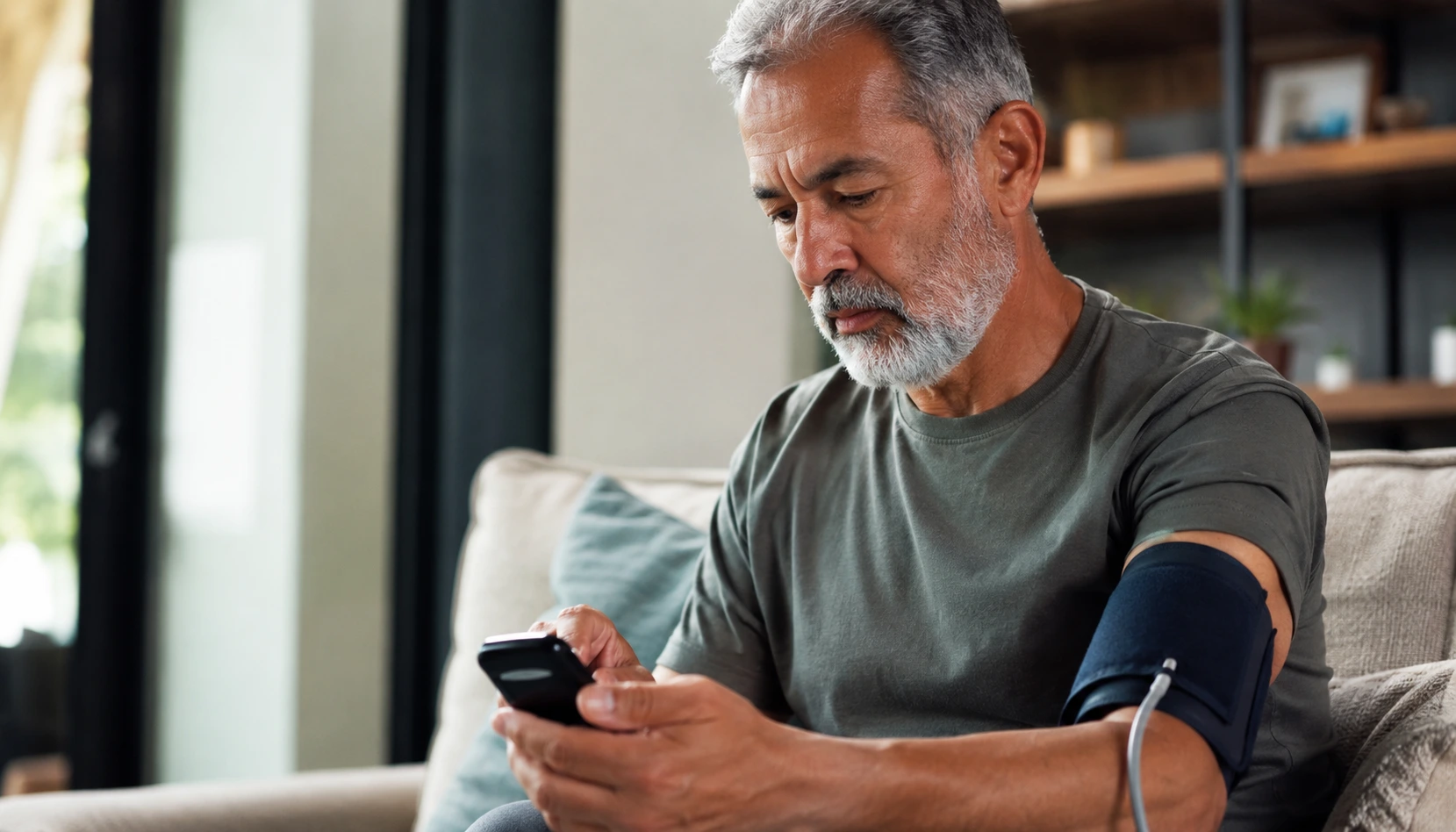
Tired of endless doctor appointments and the constant worry about whether your blood pressure is creeping up or your heart rhythm is off? Remote patient monitoring devices let you skip the waiting room and stay on top of your health from your living room instead.
Understanding remote patient monitoring devices
Remote patient monitoring devices are compact, user-friendly tools that measure your vital signs and send the data directly to your healthcare team. Think of them as a bridge between you and your doctor that works 24/7. These devices track blood pressure, heart rate, oxygen levels, glucose, and weight depending on which one you choose. Instead of remembering to call your doctor’s office to schedule an appointment weeks away, your device automatically shares readings with your healthcare provider. If something looks off, your doctor can reach out to you before a small issue becomes a big problem. For example, if you have heart disease and your device detects an irregular heartbeat pattern, your provider gets notified immediately rather than waiting for your next scheduled visit three months from now. The data flows securely through encrypted connections, so your privacy stays protected. You simply take a reading each morning or as directed, and the device handles the rest.
- Continuous monitoring of key health metrics without the need for frequent hospital visits
- Prompt identification of any concerning trends or deviations from your baseline health status
- Improved adherence to treatment plans and medication schedules
Benefits of remote patient monitoring for seniors
For seniors managing multiple health conditions, remote patient monitoring removes the burden of constant travel to medical offices. Imagine having arthritis that makes driving painful, or living in a rural area where the nearest specialist is an hour away. With these devices, you stay in control of your health without the physical strain. You gain independence because you’re not waiting for someone else to drive you or struggling with transportation. Your doctor gets a clearer picture of how you’re really doing day to day, not just a snapshot from one office visit. Many seniors report feeling less anxious knowing their healthcare team is watching their numbers. If you have diabetes, for instance, you can track how different foods and activities affect your glucose levels and share that real data with your doctor instead of trying to remember from memory. This leads to better treatment adjustments and fewer emergency situations. You also save time and money by avoiding unnecessary trips and catching problems early when they’re cheaper and easier to treat.
📘 Fix your day in under 2 minuteschoose where to begin:
Choosing the right remote patient monitoring device
Selecting the right device depends on your specific health needs and comfort level with technology. Start by talking with your doctor about which vital signs matter most for your conditions. If you have heart problems, you might need a device that monitors heart rate and rhythm. If you have diabetes, a glucose monitor becomes essential. Next, consider ease of use. Look for devices with large buttons, clear screens, and simple setup processes. Some devices connect to your smartphone, while others have their own display screen. If you’re not comfortable with apps, choose one with a standalone screen. Check the manufacturer’s customer support options too. Can you call someone if you’re confused? Do they offer video tutorials? Read reviews from other seniors to see if they found the device intuitive. Test the device in the store if possible before buying. Ask about data security and whether the company encrypts your information. Finally, verify that your insurance covers the device or if there are out-of-pocket costs. Your healthcare provider’s office may have recommendations or even partnerships with specific device makers.
Setting up and using remote patient monitoring devices
Setup is usually straightforward, though it helps to take your time and follow each step carefully. Unpack your device and read the manufacturer’s instructions completely before touching anything. Many devices come with a quick-start guide and a full manual. Keep both handy. If the device connects to WiFi or Bluetooth, write down your network password beforehand so you don’t struggle during setup. Some devices require you to download an app on your phone or tablet. Do this before you start the physical setup. Create your account with a password you’ll remember. Consider writing it down in a secure place. Once connected, take a few practice readings to get comfortable with the process. Your first reading might feel awkward, but by the third or fourth time, it becomes routine. Set a consistent time each day to use your device, like right after breakfast. This builds a habit so you don’t forget. Check your device monthly for software updates. Most devices notify you when updates are available. Install them promptly to keep your device secure and functioning properly. If something seems wrong, don’t panic. Call the manufacturer’s support line. They’ve heard every question before.
Monitoring your health with remote patient monitoring devices
Using your device consistently is the key to getting real value from it. Take your readings at the same time each day when possible, as this gives your doctor the most reliable data. Your blood pressure reading in the morning differs from the evening, so consistency matters. Keep a simple log of your readings if you like, noting anything unusual that day like extra stress or a big meal. Share this context with your doctor during your next virtual visit or phone call. When you talk to your healthcare provider, bring your device or the data printout. Discuss any patterns you notice together. If your readings have been stable for months, that’s great news worth celebrating. If they’re trending upward, your doctor might adjust your medication or suggest lifestyle changes. Stay engaged by asking questions. What do your numbers mean? What’s your target range? What should you do if a reading is too high or too low? Understanding the why behind the numbers keeps you motivated. Remember that remote monitoring supplements, not replaces, your doctor visits. You still need regular check-ups for physical exams and comprehensive care. Think of your device as a conversation starter with your healthcare team, giving them better information to help you stay healthy.
Others also read:
Disclaimer: This article is for informational purposes only and is not a substitute for professional medical advice. Always consult a healthcare professional for personal guidance.
This guide has been prepared and reviewed by the GlobalHealthBeacon editorial team and reflects current medical research as of 2026. It provides structured, evidence-based information to support informed health decisions.
